
Xbox servers down: Services outage hits thousands; how to fix ‘0x87e107df error’ – latest update

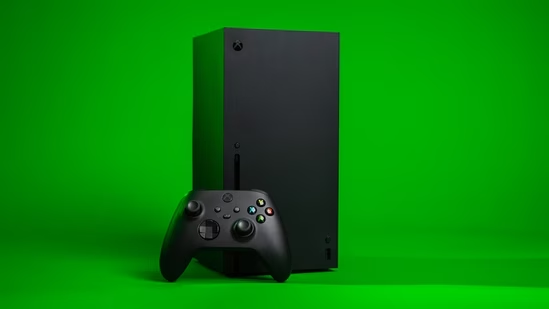
Xbox servers reportedly went down for thousands of users on Monday, July 27. At the time of writing, Downdetector, which tracks outages, marked over 2,000 users facing problems with Xbox services.
At its peak, over 3,000 gamers were affected, but the numbers have gone down now. However, a lack of sharp decline shows that many users continue to face issues.
They took to the Downdetector comment section and X to voice frustrations.
Xbox down: Gamers complain strongly
One person wrote in the comments section, “Im still having issues starting any game. Does anyone have a timeframe of when this will be fixed?”. Another added “I can’t play otg saying sumthing about network or online service.” Yet another said “It wont even let me set my xbox to home xbox (not sure why it was unchecked in the first place).”
Also Read | ‘World around is changing’: Why Microsoft is laying off 4,800 people, overhauling Xbox
On X people said they were facing similar issues. “Damn xbox…i wanted to reinstall 007 first light before i went to bed because of the new update but uh….the servers are down?…,” one wrote. Another added “can you fix ur servers tf”.
However, there is no official statement from Xbox Support or Xbox, acknowledging the outage. A cause is not known yet, and a time for services to be restored has not been provided either.
The outage also impacted gamers, with Dead by Daylight players loding complaints as well.
“I’ve been getting this error off and on all day. And now it won’t let me play the game. I closed the game and even restarted the Xbox. And still won’t work,” one wrote, sharing they were getting an initialization error message.
Meanwhile, many noted they were getting the ‘0x87e107df error’ message. “Getting a 0x87e107df error have tried to go offline and also did a hard restart and that hasn’t fixed the issue. It is not loading any games even though it is connected to Xbox live. Nothing anywhere about services being down,” one wrote on X, tagging Xbox Support.
Xbox: How to fix ‘0x87e107df error’?
To fix the ‘0x87e107df error’ Xbox users need to go offline in the network settings, restart the console, or check the server status. Xbox notes, the error ‘usually happens when Xbox Live cannot verify digital game licenses due to a service outage or connection glitch.’
Notably, since multiple people appear to be facing this error, and there are reports of server issues, a user-end fix is not likely to work in this situation.